How to Make Your Pharmacy or Clinic Website Readable to AI Assistants

The Short Version
AI assistants recommend businesses they can read and verify. For a pharmacy or clinic, that means: services and insurance plans in plain HTML text (not images or PDFs), consistent hours and address everywhere you appear, schema.org markup that matches what's on the page, and no crawler blocks in front of any of it.
No one can make an AI recommend you. You can stop it from skipping you for reasons you control.
Why This Matters Now
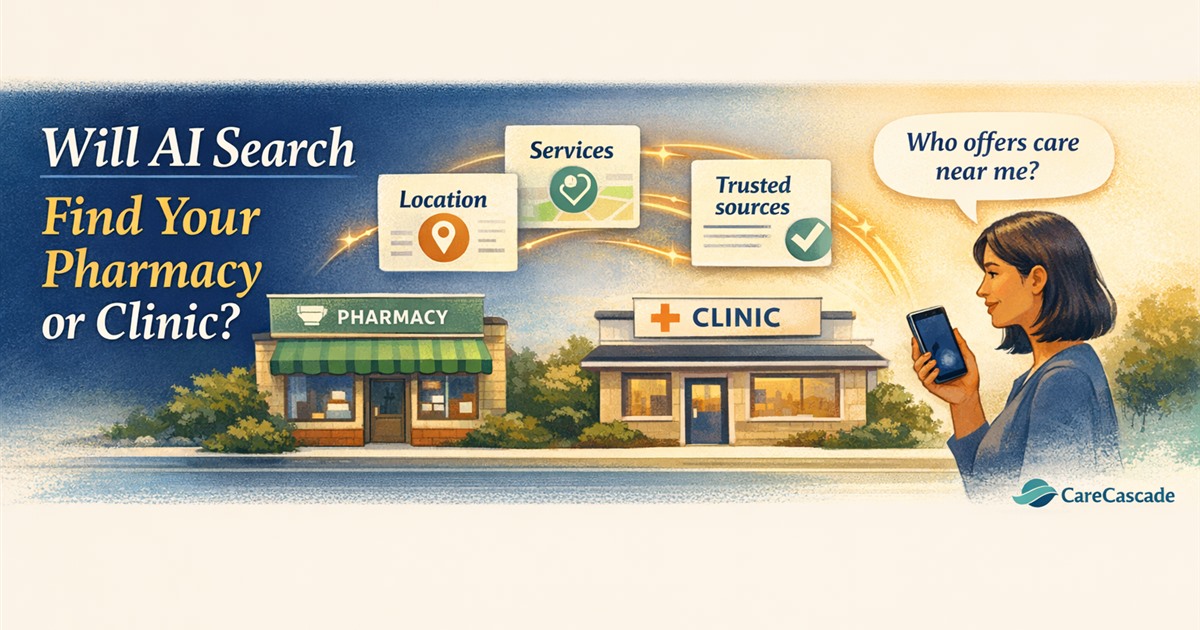
Patients are no longer the only ones reading your website. When someone asks ChatGPT, Google AI Overviews, or Perplexity "What pharmacies near me accept Medicare and offer flu shots?" or "Who can monitor my blood pressure from home?", the answer comes from whatever the AI can read and verify.
Here's the catch: AI assistants don't all read the same way. Google AI Overviews pulls from Google's existing search index. ChatGPT search uses OpenAI's own crawler alongside third-party search indexes. Perplexity and Claude fetch pages live, and Perplexity also maintains its own crawled index. Some models also answer from training data that can be a year or more out of date. The common thread: if your site relies on images, PDFs, JavaScript-rendered content, or vague descriptions, the model recommends the chain store three miles away, because its site says "flu shots, no appointment, walk in" in text a machine can lift.
This article is about your own website—the pages you control. For off-site factors like Google Business Profile, directory listings, and reviews, see The Future of SEO Is ChatGPT for Pharmacies and Clinics.
What to Fix (In Order)
1. Check Your Robots.txt and Platform Settings First
If AI crawlers can't reach your pages, nothing else in this article matters. GPTBot, ClaudeBot, and PerplexityBot generally do not execute JavaScript and will not find content hidden behind it.
On Wix, Squarespace, GoDaddy, or Digital Pharmacist sites—the platforms most independents actually run—the blocker is usually a platform toggle or Cloudflare setting, not a hand-edited robots.txt. Check your platform's settings for "block AI scrapers" or "block bots."
One non-obvious fact: blocking Google-Extended in robots.txt does not remove you from Google AI Overviews, because AI Overviews uses the standard Googlebot index. If you want to be in AI Overviews, you need to be in Google's regular index—which means allowing Googlebot, not just opting out of the AI training flag.
The same split exists at OpenAI and Anthropic. GPTBot collects training data. OAI-SearchBot powers ChatGPT search results. ChatGPT-User fetches a page when a user's question requires it. Anthropic splits ClaudeBot (training) from Claude-User and Claude-SearchBot. Blocking the training bot does not block the search bot, and blocking the search bot removes you from the answer entirely. If you allow only one thing, allow the search bots.
Two checks, five minutes: visit yoursite.com/robots.txt in a browser and read what's there. Then load your services page with JavaScript disabled (Chrome: DevTools → Ctrl+Shift+P → "Disable JavaScript" → reload). Whatever's still on screen is roughly what a crawler sees. If the page goes blank, that's your problem, and it outranks everything else in this article.
One more: if you're behind Cloudflare, check the Bots settings. Cloudflare blocks AI crawlers by default on many plans, and most owners have no idea it's on.
2. Put Your Services in Plain Text
Replace image-based service menus with HTML text. Instead of a graphic that says "Flu Shots," use a heading and description:
Flu Shots—Walk-in flu vaccinations for adults and children. Most insurance accepted. No appointment required.
Adjust to your state's pharmacist scope of practice.
A model can quote that sentence. It cannot quote a PNG.
3. Write for Questions, Not Keywords
Patients ask AI in natural language. Instead of optimizing for "pharmacy near me," write content that answers:
- How do I transfer my prescription to [your pharmacy]?
- What immunizations do you offer?
- Do you accept [insurance plan]?
- How do I set up auto-refill?
- What chronic care services does your clinic offer?
Each question should have a clear, direct answer on your site in plain text. Question-shaped content matches how patients actually ask AI for recommendations.
4. State Your Insurance Participation Clearly
Instead of "We accept most major insurance plans," list the plans (example—list your actual contracted plans, not these):
We participate with Medicare, Medicaid, Blue Cross Blue Shield, Aetna, Cigna, and UnitedHealthcare. Call us to verify your specific plan.
A patient asks about Aetna. Either the word "Aetna" is on your page or it isn't. "Most major plans" isn't an answer to that.
But here's the maintenance problem: network participation changes. A stale "we participate with Aetna" sitting in HTML is a claim you can't support if you've dropped that plan. Review this list quarterly and update it when contracts change.
5. Describe Clinical Capabilities Specifically
For clinics, list specific services:
- Chronic care management (CCM)
- Remote patient monitoring (RPM)
- Annual wellness visits (AWV)
- Behavioral health integration
- Medication management
For pharmacies:
- Prescription transfers (online or in-person)
- Auto-refill programs
- Medication synchronization
- Medication therapy management (MTM)
- Immunizations (specify which)
- Point-of-care testing (specify which)
"Full-service pharmacy" and "comprehensive primary care" tell a model nothing. Every competitor says both, and no patient searches for either.
Only list what you're currently licensed, credentialed, and staffed to deliver. A published service you can't perform is a compliance problem before it's an SEO problem.
6. Add Structured Data Markup
Use schema.org markup for healthcare organizations:
- MedicalBusiness or Pharmacy schema type
- name, address, telephone, openingHoursSpecification
- medicalSpecialty for clinics
- availableService for clinics (use MedicalClinic, not the generic MedicalBusiness)
- For pharmacies, availableService isn't valid on the Pharmacy type—use hasOfferCatalog to list services instead
Schema that contradicts the visible page is worse than no schema—it's a signal that one of the two is unmaintained. It's the last item on this list because it's the one most likely to need a developer—but it's also the one that makes everything above it more reliable for AI extraction.
7. Avoid PDF-Only Content
If your service list, insurance formulary, or patient intake forms exist only as PDFs, add an HTML summary page that covers the same information. LLMs may skip PDFs or extract them poorly.
8. Add Per-Location Pages and Freshness Signals
Your name, address, phone, and hours should appear in identical text everywhere on your site—footer, contact page, and schema markup. Not "Ste 200" in one place and "Suite 200" in another. AI assistants treat variation as uncertainty. If you operate multiple locations, give each one its own page with its own address, hours, and services. A single "Locations" page with everything jumbled together is harder for AI to parse.
Add a visible "Last updated" date on key pages. AI models and search engines use freshness as a trust signal. A services page that says "Last updated August 2026" is more credible than one with no date. Only change that date when the content actually changes. A "last updated" stamp that auto-refreshes on every page load is a freshness signal you'll get caught faking.
9. Check Bing Webmaster Tools
ChatGPT's search results draw on OpenAI's own crawler plus third-party search indexes, Bing among them. Google Search Console won't show you any of that. Verify in Bing Webmaster Tools, submit your sitemap, and check for crawl errors—it's free, it takes twenty minutes, and it's the only window most independents have into the non-Google half of AI search.
How to Test
- Use a logged-out or temporary chat. In your own account, memory and prior conversations can feed the model answers your site never provided. Open ChatGPT, Claude, or Perplexity and ask: "What services does [your pharmacy/clinic name] offer?"
- A wrong or empty answer means the information isn't reaching the model. Usually that's your site. Sometimes it's a stale Google Business Profile or a directory listing with your old address. Check the site first—it's the one you control.
- Ask: "Does [your name] accept [insurance plan]?" and "What are the hours for [your name]?"
- If the AI cannot answer accurately, fix the content gaps above and retest.
- Search site:yourpharmacy.com on Bing directly. If your pages aren't listed, that's an indexing problem, not a content problem—start with Bing Webmaster Tools.
LLM Readability Is a Maintenance Problem
You can fix every item in this article in a weekend, and be wrong again in ninety days. Holiday hours change. You drop a plan. You stop stocking a vaccine. You add a point-of-care test. A clinician leaves. A new service launches.
Stale facts are worse than missing ones. AI assistants cross-reference sources—your site, your Google Business Profile, your directory listings. A site that conflicts with those sources gets lower confidence than a site that says less. The goal isn't a one-time cleanup. It's a recurring loop that keeps what you publish matched to what's actually true.
How CareCascade Handles This
Most vendors treat this as a content problem. It's a data problem, and the data changes inside your operations, not on your website.
CareCascade already runs the recurring administrative workflows where these facts change first—refill and transfer intake, scheduling, insurance and claims administration. When a plan contract ends or a service stops, it shows up in the workflow long before anyone thinks to update a web page.
So we close that loop. We rebuild your site—included in the monthly fee, not a separate project—structured the way AI assistants actually extract information: services in plain text, plans named, schema in place, question-shaped pages. Then we run an agreed review cadence against what's actually operational: flagging what's drifted, correcting stale information, and routing anything that needs your approval before it goes live. You decide what gets published.
We also manage your Google Analytics and Search Console, and report which pages GPTBot, ClaudeBot, and PerplexityBot are hitting—crawler traffic standard analytics doesn't attribute.
CareCascade doesn't guarantee AI recommendations, rankings, or referrals; no one can. But if your site advertises a service you stopped providing three months ago, that's not an SEO problem. It's an operational one—and it's the kind we're already positioned to catch.
Frequently Asked Questions
Will AI assistants recommend my pharmacy if I do all this?
No guarantee. AI recommendations depend on the query, the patient's location, what competitors have published, and how the model weights different sources. What this article does is remove the preventable reasons an AI would skip you—unreadable content, inconsistent information, crawler blocks. You can't control the recommendation. You can control whether you're eligible for it.
Should I block AI crawlers?
Only if you have a specific reason—for example, you don't want your content used for AI training. But blocking AI crawlers means AI assistants can't read your site, which means they can't recommend you. Most pharmacies and clinics should allow AI crawlers. If you're worried about training, block the training bots by name in robots.txt—GPTBot, ClaudeBot, Google-Extended—and leave the search bots (OAI-SearchBot, Claude-SearchBot, PerplexityBot, Googlebot) allowed. You keep the visibility and opt out of the corpus.
Does llms.txt matter yet?
Not much. It's a real proposal with thin adoption. The items in this article—plain text, consistent information, schema markup, crawler access—are what actually matters today. Add an llms.txt if you want, but don't prioritize it over the basics.
How often do I need to update this?
Quarterly at minimum. Review your services list, insurance participation, hours, and staff whenever something changes—and something always changes. Stale information is worse than missing information because it creates conflicts that reduce AI confidence in your listing.
My site is on Wix or Squarespace—can I do this?
Yes. Most modern website builders support HTML text, schema markup, and robots.txt settings. The main thing to check is whether your platform has a "block AI scrapers" toggle that's turned on by default. If it is, turn it off. Then work through the items in this article—most don't require a developer.
Is this different from regular SEO?
Yes and no. Traditional SEO helps patients find you on Google. AI readability helps AI assistants recommend you when patients ask questions in plain language. The overlap is significant—clean text, consistent information, and structured data help both. But AI assistants read differently than Google's crawler, and they synthesize answers rather than returning links. See The Future of SEO Is ChatGPT for Pharmacies and Clinics for the off-site side of this picture.
This article provides educational information about website structure and AI search discovery. It is not legal, compliance, or technical advice. Requirements vary by platform, jurisdiction, and payer.